
Every rack, dock, and zone becomes an information hub. Pick instructions, safety protocols, and shipping procedures — accessible instantly from the floor.
Clipboards and printed pick lists get lost, damaged, and outdated. By the time the binder is updated, the team has already been working from the old version.
Pallets arrive at the wrong dock. Receiving teams wait for someone to find the BOL. Product sits in staging because nobody knows where it goes.
Safety procedures live in a filing cabinet, equipment manuals are in the office, and new hires learn by following someone around for a week.
Mount NFC tags throughout your facility. Workers tap for real-time instructions, safety requirements, and procedures — right where the work happens.
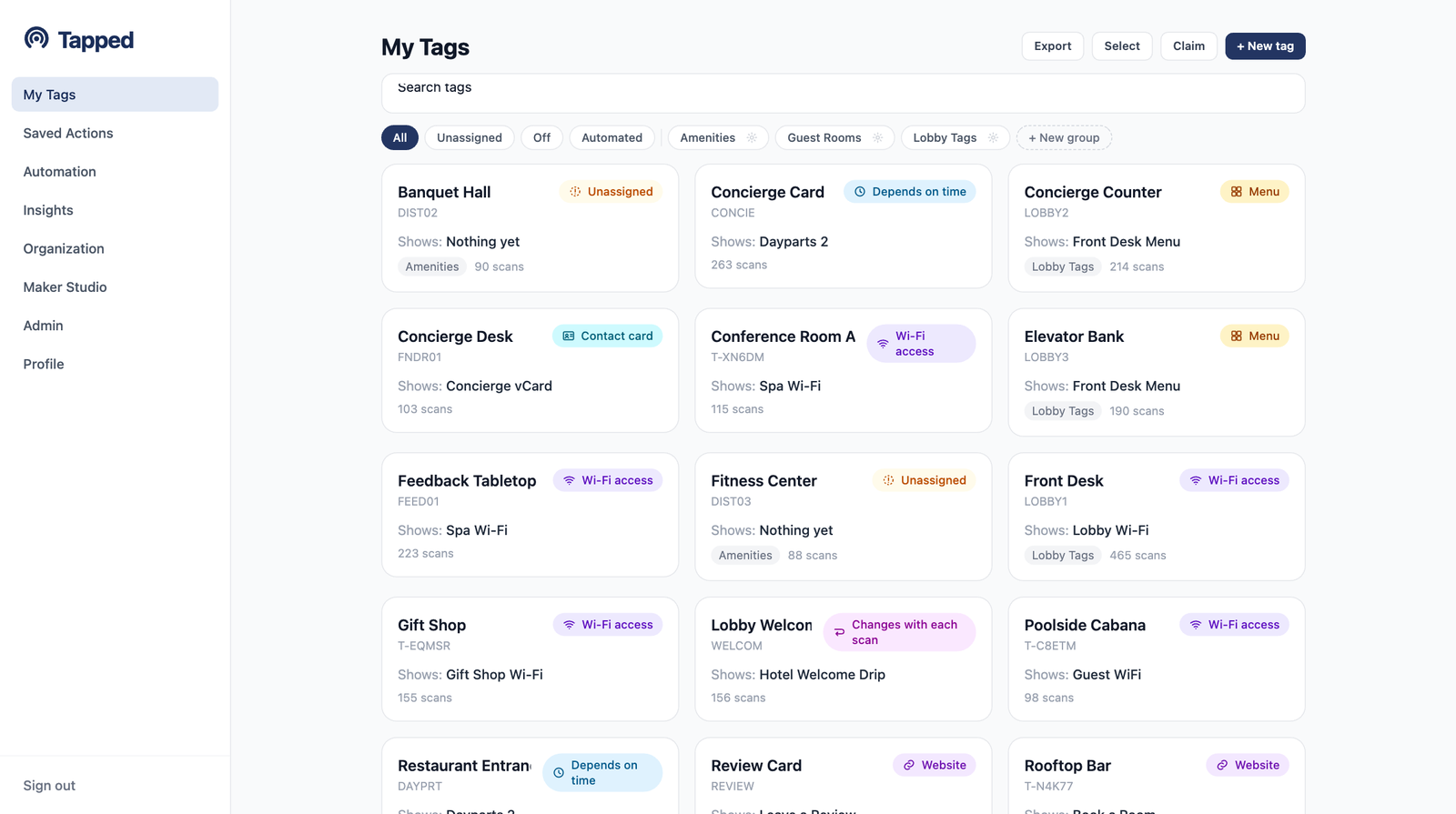
Every tag in one place — filter by type, group, and status from the My Tags dashboard.
Tap a zone tag and see exactly what is stored there, what needs to be picked, and what safety requirements apply. No radio calls, no walking to the office, no guessing.
Tags on every dock door link to expected deliveries, carrier information, and outbound shipping procedures. Receiving teams know what is coming before the truck backs in.
New employees tap a zone tag and instantly get the safety protocols for that area — PPE requirements, equipment operating procedures, emergency exit routes. Training happens on the floor, not in a classroom.
Worker taps the zone entry tag and sees today's pick list, priority orders, and any schedule changes. No morning meeting required for routine assignments.
Truck arrives at Dock 4. Receiver taps the dock tag, sees the expected BOL, item count, and put-away zone. Receiving is confirmed and logged with a single tap.
Before operating the forklift, driver taps the equipment tag for the pre-shift inspection checklist. Completed checklist is logged automatically — an audit-ready record.
A new warehouse associate taps zone tags as they walk the floor — each one delivers the safety protocols, procedures, and contacts specific to that area. Training that sticks.
Pick instructions, put-away locations, and dock details are one tap from where the work happens. Every radio call, office walk, and wait for a supervisor that a tag replaces is minutes returned to moving product.
A procedure edited in the dashboard is live at every zone the same moment — nobody works from last week's binder while this week's process is in effect. Mispicks and wrong-dock deliveries caused by outdated printed instructions stop at the source.
Safety checklists and procedure lookups are logged with time and device, so proof of process lives in scan history instead of reconstructed paperwork. When an audit comes, the trail already exists.
The tags are mounted once. The procedures behind them stay current — and every tap keeps proving it.
Procedure updates — every zone stays current
Of tag taps logged for compliance and accountability
Dual-mode tags for warehouse environments
Action types — docs, checklists, training, and more
Five free tags. Full platform access. Mount your first zone tag before the next shift starts.
Start free with 5 tagsNo credit card required. Upgrade any time.