
Define time windows and give each one its own action. Breakfast menu in the morning, dinner reservations at night — same tag, no reprinting, no manual switching.
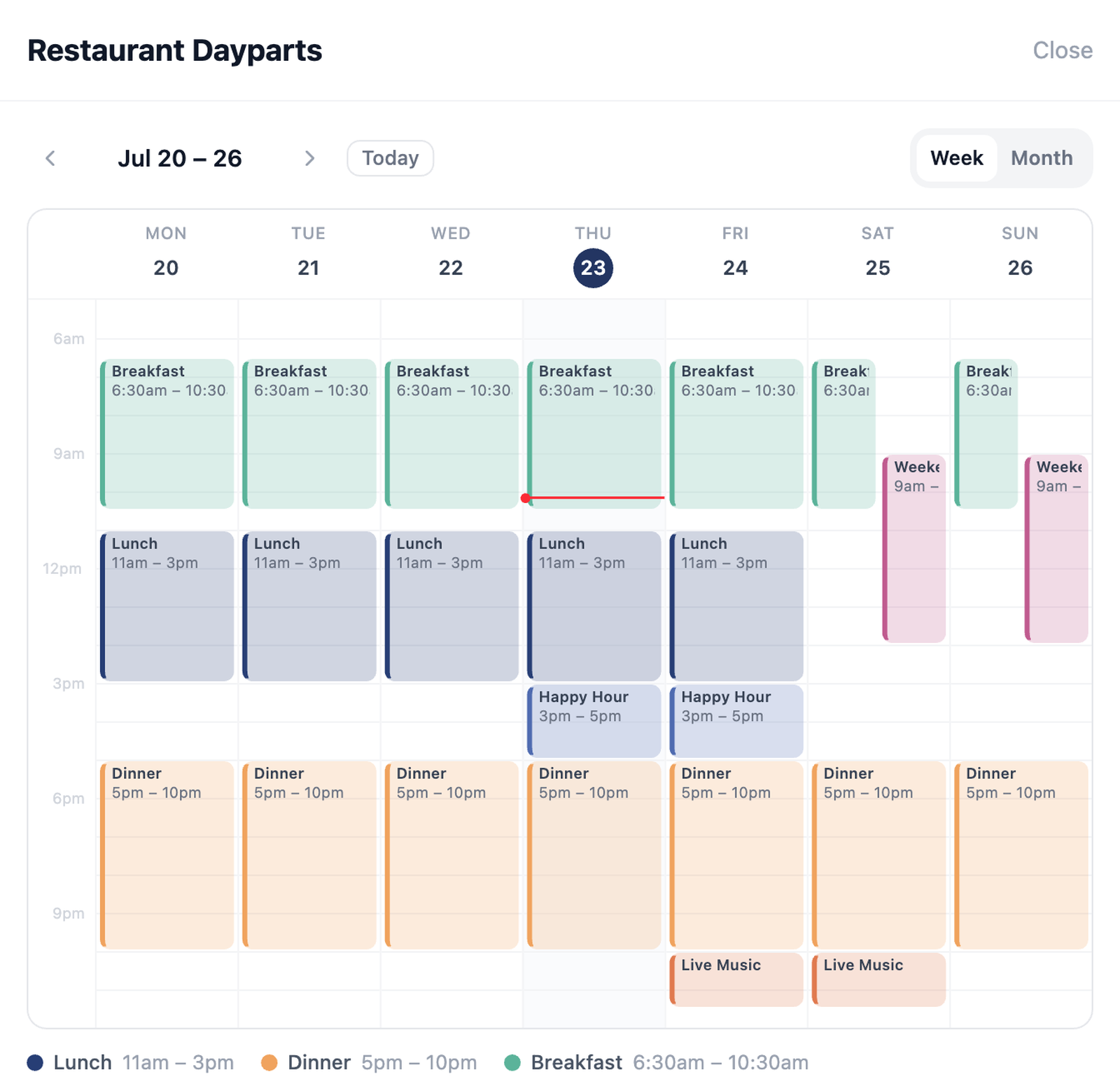
The schedule calendar: every window drawn as a colored block across the week, with a line marking right now.
A schedule is a set of time windows. Each window picks its days, its hours, and its action. Simple to set up, easy to read back.
Set start and end times and choose which days each window runs. Monday's lineup can be completely different from Saturday's.
Every window points at any action in your library — a menu, a link, a form, anything. Outside every window, the schedule's default action takes over.
Give a schedule a start date, an end date, or both. Seasonal promotions turn themselves on and off — nothing to remember.
The visual calendar renders every window as a colored block, in week or month view. Coverage gaps and overlaps are obvious the moment you look — no reading through a list of rules.
The now-line shows exactly which window is serving at this moment, so you can confirm the tag is doing what you expect before you walk away.
One tag on every table. The menu matches the meal — breakfast, lunch, and dinner windows, weekend brunch on its own days.
The front-desk tag points at the morning class signup early, the evening session later. Nobody edits anything mid-day.
Date gates transition a tag from RSVP page to live agenda to post-event follow-up — on the dates you set, automatically.
Every plan includes schedules — Starter includes one, Essential and Professional are unlimited.
More features
Build your first schedule in minutes and watch the calendar fill in.
Open Dashboard