
Asset tracking, conference room guides, and employee onboarding — every piece of your physical infrastructure becomes self-documenting and self-service.
Serial numbers, assigned users, warranty dates — someone updates the sheet quarterly if you are lucky. By the time you need it, the data is stale.
The laminated card says "press Input 2" but someone swapped the HDMI last month. Now every meeting starts with five minutes of troubleshooting.
"What is the Wi-Fi password?" "How do I connect to the printer?" "Where is the VPN guide?" Your team answers the same ten questions hundreds of times a year.
Attach an NFC tag to any device, room, or workspace. One tap delivers specs, instructions, and support — always current, always contextual, zero tickets required.
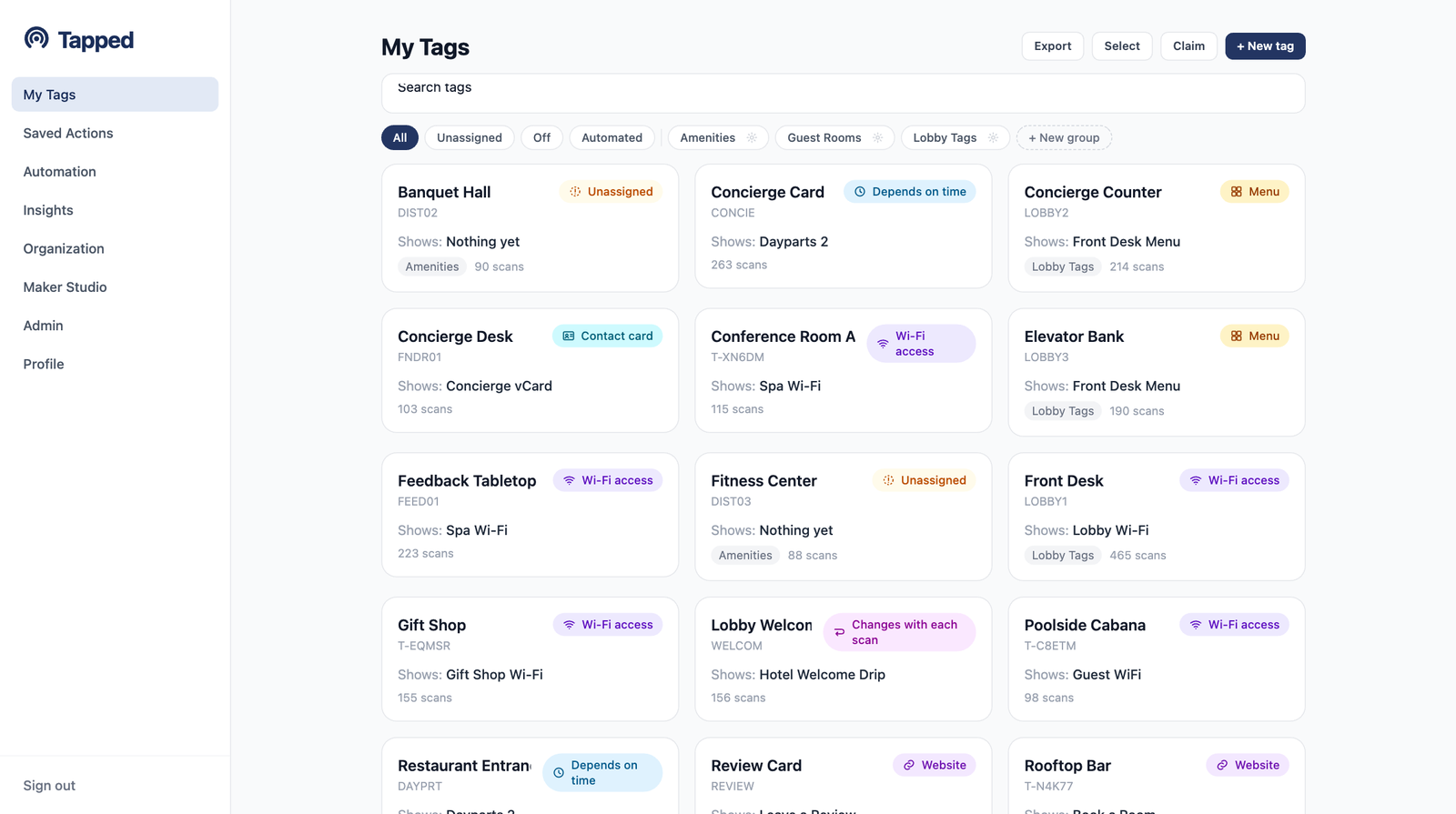
Every tag in one place — filter by type, group, and status from the My Tags dashboard.
Tap any device — laptop, monitor, printer, server — and instantly see its full profile. No more hunting through spreadsheets or guessing which serial number belongs to which machine.
A single tag on the conference room wall replaces the laminated card, the Slack message, and the walk-to-IT-and-ask. Visitors and employees get exactly what they need for that exact room.
Every new hire gets an onboarding tag. Every common area gets a help tag. The answers live where the questions are asked — not buried in a wiki nobody bookmarked.
New hire receives a welcome kit with an NFC tag pre-loaded with everything they need for their first week — IT setup, org chart, benefits enrollment, building map.
One tap delivers step-by-step laptop configuration, SSO enrollment, VPN installation, and email setup. No waiting for IT to walk over.
The tag connects them to corporate Wi-Fi, links to Slack, project management tools, and department-specific resources. Self-service from their desk.
After the onboarding window, the same tag automatically updates to show ongoing IT resources — password reset, support portal, equipment requests, security training.
Wi-Fi credentials, printer setup, and the VPN guide live on tags where the questions get asked — the conference room wall, the new hire's desk, the common area. Every question a tag answers is a ticket never opened, and engineer hours that stay on the work that needs an engineer.
When something breaks, the fix starts with a tap on the device itself: specs, assigned user, warranty status, support history. No hunting through stale sheets to match a serial number — the lookup step of every hardware issue disappears, and the meeting that used to lose five minutes to "press Input 2" starts on time.
Change a Wi-Fi password or swap an HDMI input, update the tag once from the dashboard, and every future tap is correct — no laminated cards to chase down. Scan logs show which guides get used and where, so self-service coverage improves exactly where the demand is.
The tags are deployed once. The credentials, guides, and asset records behind them keep updating — so the support load goes down while the hardware stays put.
REST API endpoints for full programmatic control
Of asset taps logged — who, when, where
Content updates — credentials and docs always current
Automation engines — schedules, sequences, routes
Five free tags. Full platform access. Deploy your first smart asset tag in under two minutes.
Start free with 5 tagsNo credit card required. Upgrade any time.